
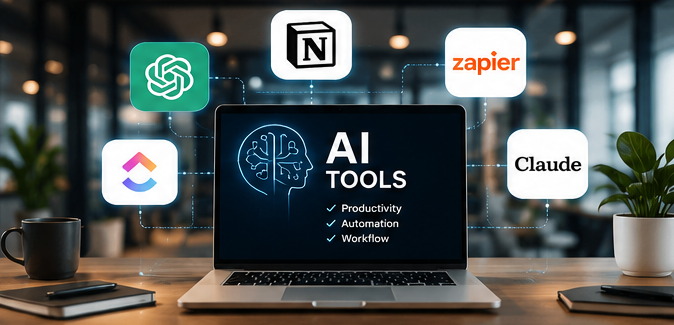
Artificial intelligence has moved beyond simple chatbots. The best AI tools can now research information, organize projects, summarize meetings, automate repetitive tasks, analyze documents, and help teams complete complex work.
For professionals and students, choosing the right tool matters more than using dozens of AI applications. The best AI tools are the ones that fit naturally into your existing workflow and remove repetitive work without creating another layer of complexity.
This guide compares five of the best AI tools worth considering in 2026, with a focus on practical productivity rather than hype.

The best AI tools should do more than generate text. A useful productivity tool should save meaningful time, understand context, connect with your existing workflow, and produce something you can actually use.
For example, an AI assistant that summarizes a 40 page document is useful. An assistant that can summarize the document, identify important decisions, create tasks, and help you follow up is much more valuable.
When comparing the best AI tools, consider five factors:
ChatGPT from OpenAI is the strongest all purpose choice on this list.
It can help with research, writing, brainstorming, coding, data analysis, document analysis, planning, and many other tasks. ChatGPT Projects allow users to keep related chats, files, instructions, and context together, making them useful for long running work.
In 2026, ChatGPT has also expanded its workflow capabilities. ChatGPT Work can handle longer tasks across connected apps and files and can create documents, spreadsheets, presentations, reports, and Sites.
Professionals, students, developers, researchers, marketers, and creators.
A digital marketer could create a project for a new website and use ChatGPT to analyze competitors, develop content ideas, organize keywords, create briefs, and review campaign data.
Why it belongs among the best AI tools: It covers a very broad range of professional tasks without forcing users into one specific workflow.
Notion AI is particularly useful if your work already lives inside Notion.
Notion AI can work with pages, databases, documents, meetings, and connected applications. Its current features include Notion Agent, Research Mode, AI Meeting Notes, and Enterprise Search.
One of its biggest advantages is context. Instead of copying information from several applications into a separate chatbot, Notion AI can search connected sources such as Slack and Google Drive when those connections are enabled.
Students, project teams, content teams, startups, and knowledge workers.
Imagine a startup holding a weekly meeting. Notion AI can capture the discussion, summarize decisions, identify follow up actions, and keep the information connected to the team’s existing workspace.
Why it belongs among the best AI tools: It combines knowledge management, project organization, documentation, and AI assistance in one workspace.
Zapier is different from the other best AI tools because its primary strength is automation.
Instead of asking AI to complete every task manually, Zapier connects applications and creates workflows between them. Its AI features can help build workflows from natural language, troubleshoot automation errors, and add AI powered processing inside workflows.
Its AI by Zapier functionality can add AI steps to workflows for tasks such as classification, summarization, and data processing.
Entrepreneurs, marketers, sales teams, operations professionals, and small businesses.
A marketing agency could create a workflow where a new form submission enters a database, AI classifies the lead, relevant information is added to a CRM, and the sales team receives a notification.
The important lesson is simple: use automation for predictable steps and AI where judgment or interpretation is actually useful. Zapier itself recommends combining traditional automation logic with AI rather than using AI for every task.
Why it belongs among the best AI tools: It turns AI from something you interact with manually into part of a repeatable workflow.
ClickUp combines project management with AI through ClickUp Brain.
ClickUp Brain can summarize tasks and documents, generate action items, create tasks, update task information, search workspace information, and work with AI agents.
This makes it particularly interesting for teams where productivity depends on keeping projects organized.
Project managers, agencies, software teams, business teams, and organizations managing many tasks.
After a project meeting, a team could use Brain to summarize the discussion, identify action items, create subtasks, and update relevant project information.
ClickUp also supports AI Skills and Super Agents, allowing teams to create reusable workflows rather than writing the same instructions repeatedly.
Why it belongs among the best AI tools: It connects AI directly to tasks, documents, communication, and project information.
Claude from Anthropic is a strong choice for people who regularly work with complex documents, writing, coding, and research.
Claude Projects allow users to create focused workspaces with their own knowledge bases and instructions. Its Artifacts feature can also create substantial standalone content, tools, visualizations, and interactive experiences that users can continue editing.
Claude has also expanded its integrations and professional workflows. Anthropic reports that Claude can connect with external tools and support complex work across multiple applications.
Developers, researchers, writers, consultants, and professionals working with large amounts of information.
A developer could provide project requirements, existing code, and documentation inside a project and use Claude to reason through implementation options, identify potential problems, and produce reusable code.
Why it belongs among the best AI tools: Its project based approach makes it useful when context, detailed reasoning, and iterative work matte
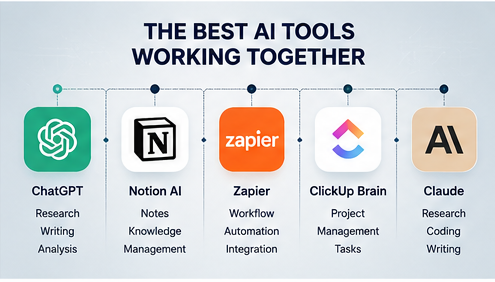
| AI Tool | Best For | Ideal User |
|---|---|---|
| ChatGPT | Research, writing, analysis, coding | Professionals, students, creators |
| Notion AI | Notes, knowledge, project management | Students, teams, startups |
| Zapier | Workflow automation | Marketers, entrepreneurs, businesses |
| ClickUp Brain | Project management | Teams, managers, agencies |
| Claude | Research, writing, coding | Developers, writers, researchers |
Do not start by subscribing to every AI platform you see.
Start with one repetitive problem.
If you need help with research, writing, analysis, and general problem solving, ChatGPT is a sensible starting point. If your information is already organized in Notion, Notion AI may provide more useful context. If repetitive app based tasks consume your time, Zapier is likely the better choice.
For project heavy teams, ClickUp Brain can make more sense. For detailed research, writing, and coding projects, Claude is worth testing.
The best AI tools are not necessarily the tools with the longest feature lists. They are the tools that remove friction from work you already do regularly.
A common mistake is trying to automate everything immediately.
Start with low risk, repetitive tasks. Keep human approval for important decisions, customer communication, financial activity, and sensitive information.
Another mistake is giving AI vague instructions. Better context usually produces better results. Tell the tool what you want, who the audience is, what information it should use, and what the finished output should look like.
Finally, measure the result. If an AI workflow saves ten minutes but requires fifteen minutes of checking, it is not actually improving productivity.
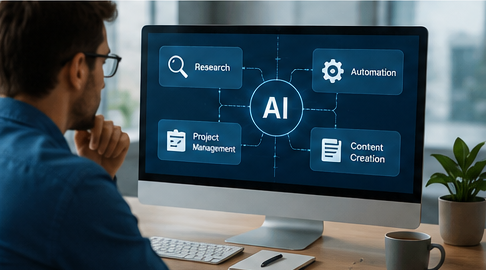
The best AI tools depend on your workflow. ChatGPT is a strong general purpose option, while Notion AI is useful for knowledge management, Zapier for automation, ClickUp Brain for project management, and Claude for research, writing, and coding.
ChatGPT is generally one of the easiest AI tools for beginners because it can help with research, writing, brainstorming, analysis, learning, and many other everyday tasks without complicated setup.
ChatGPT can help with content research and marketing ideas, Notion AI can organize campaigns and content, while Zapier can automate repetitive marketing workflows such as lead management and notifications.
No. AI tools can automate repetitive tasks and support employees, but human judgment is still important for strategy, creativity, decision making, communication, accuracy, and accountability.
They can be worth paying for when they save significant time or improve the quality of your work. Before upgrading, compare the subscription cost with the amount of time and effort the tool can realistically save.
Start with one or two AI tools that solve a specific problem. Using too many applications can make your workflow more complicated. A small set of useful tools is often more effective than a large collection of disconnected platforms.

Practical AI guides, tool reviews, and insights to help you work smarter, create faster, and stay ahead in the AI era.
Have a question, suggestion, or collaboration idea? We’d love to hear from you.